Choose what runs on SLNG, pick the region, set up the LLM, and create the API key your LiveKit, Pipecat, or custom agent uses.
Keep your orchestrator, whether LiveKit, Pipecat, or your own code, and run
speech models and the Context Router on SLNG underneath it. You set this up once,
in a project. The project decides three things your code depends on:
Which layers run on SLNG. Speech to text (STT), the large language model
(LLM), text to speech (TTS), or none of them, with the execution layer in front
of every call.
The region. The project’s API key works in that region only.
The API key. Only a key created inside this project can call the Context
Router.
This page walks through the dashboard. The
LiveKit and Pipecat
guides then show the code, and the
SLNG templates run it end to end.
A project from Improve my agent, under In your own code. This page.
Speech models and the Context Router, for the layers your project includes.
A models-only key works for SLNG speech in your own code, but the Context Router
rejects it with 403 project_mode_forbidden. To use the router, create the key in
an Improve my agent project, as below.
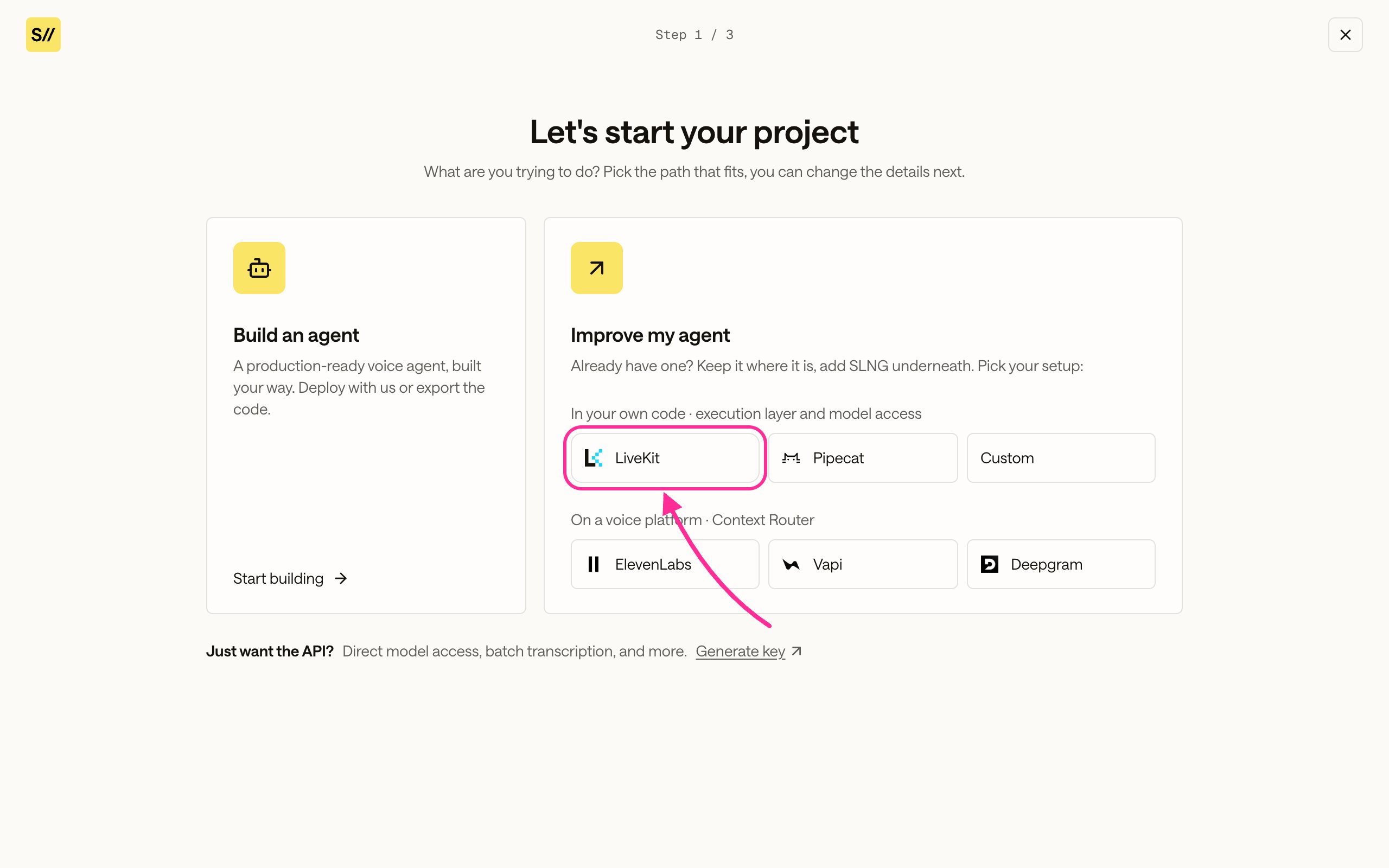
On the Projects page, click New project.
Under Improve my agent > In your own code, choose LiveKit,
Pipecat, or Custom.
Choose your framework under In your own code.
2
Choose what runs on SLNG
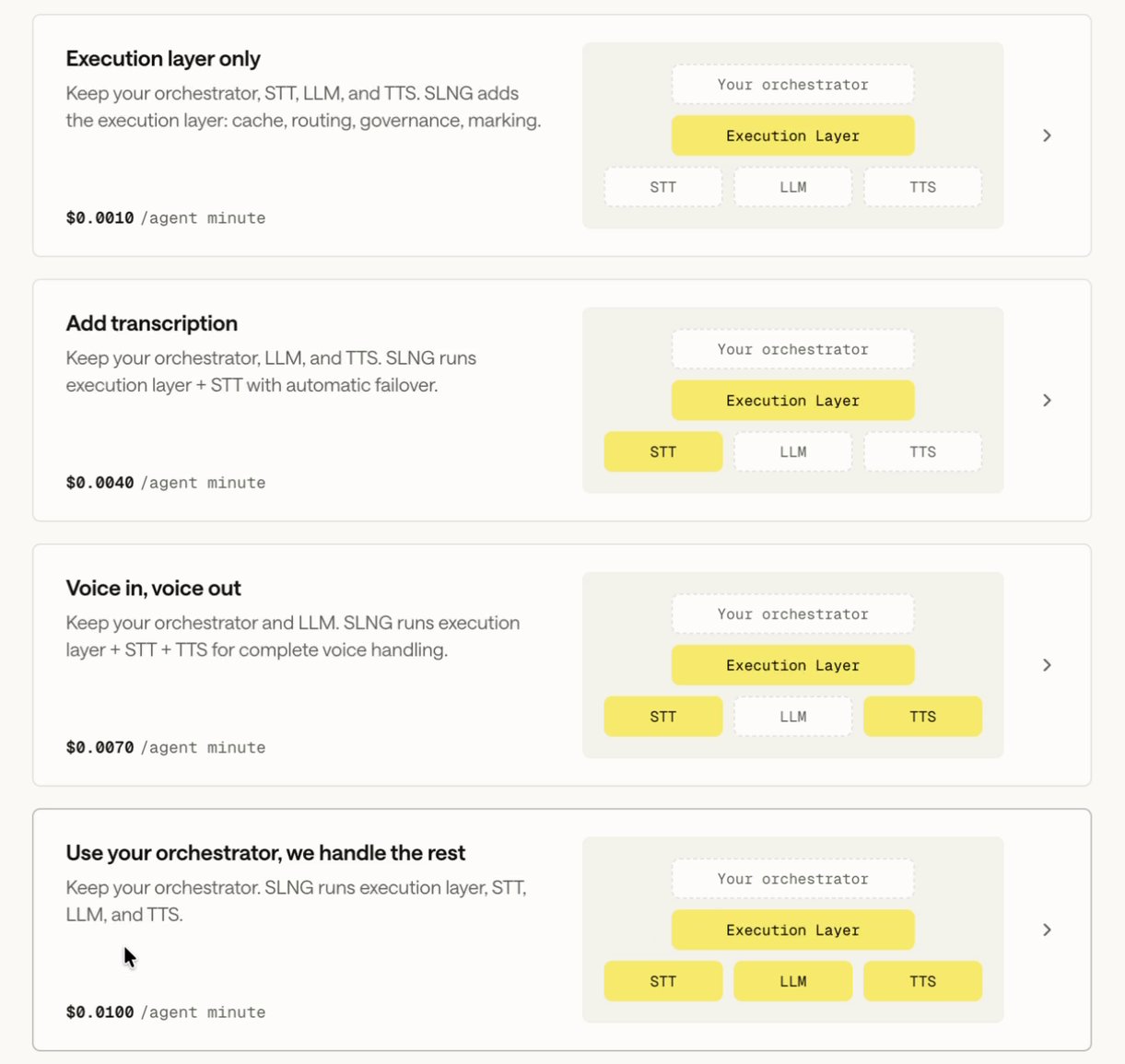
Pick one of the four configurations. Your orchestrator stays yours in all of
them. Each card shows its price per agent minute.
Configuration
Runs on SLNG
Stays on your stack
Execution layer only
The execution layer: caching, routing, governance, and marking
STT, LLM, and TTS, on your own provider keys
Add transcription
The execution layer, and STT with automatic failover
LLM and TTS
Voice in, voice out
The execution layer, STT, and TTS
LLM
Use your orchestrator, we handle the rest
The execution layer, STT, LLM, and TTS
Nothing but the orchestrator
The LLM can still go through the Context Router when it stays on your stack:
the router then answers on your own provider key. See
Set up the LLM.
The four configurations. Voice in, voice out runs speech on SLNG and keeps your LLM.
Not sure? Start with Voice in, voice out. SLNG runs speech on both sides
of the pipeline, and your own LLM can still sit behind the Context Router.
Each section’s Include toggle changes this later.
3
Name the project and pick its region
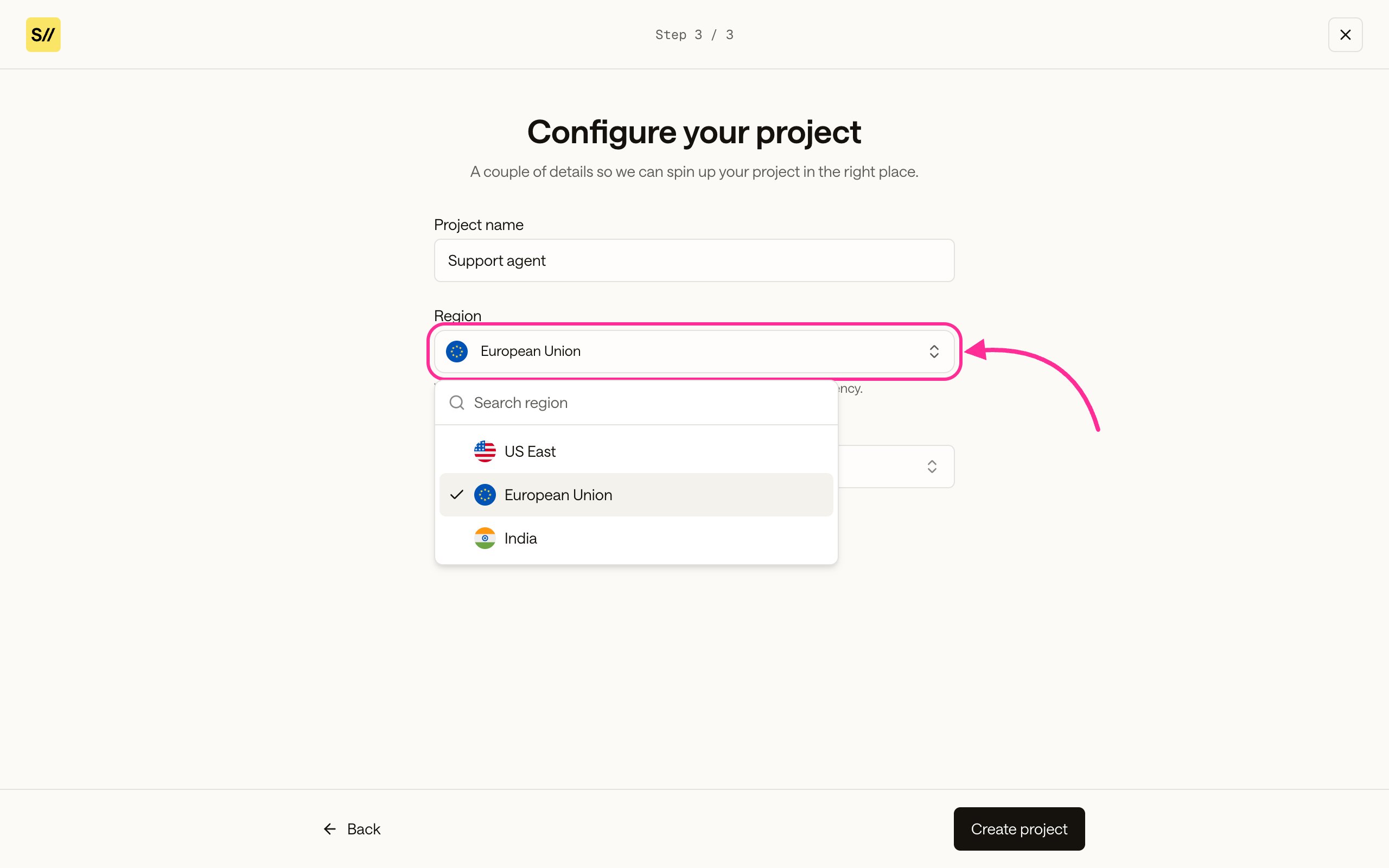
Enter a Project name, then choose the Region and Primary
language. The region decides where the project’s API keys work, so pick it
with care: see Use the key in its region. The
language filters the model lists, and you can change it later.
Pick the region your callers are closest to.
Click Create project. The project overview lists what runs where, with a
link to each section.
A project’s API keys live in the project’s region and work only there. Your code
names the region in two base URLs, and both must use the region’s gateway code:
Service
Base URL
In code
Speech to text and text to speech
{region}.api.slng.ai
LiveKit: slng_base_url. Pipecat: world_part, the code alone.
Context Router
https://{region}.context-router.slng.ai/v1
The OpenAI client’s base_url.
The dashboard labels regions by country. Find the matching code on the
regions map: for a project
in the Netherlands, the code is eu-north, and for the United Kingdom it
is gb. A request to another region’s router answers 401. If you move the
project to another region in its settings, change the code in both URLs too.
Open Execution Layer > Listen to choose the speech to text model, and
Speak to choose the text to speech model and voice. Each model dropdown has an
SLNG models tab and a BYOK tab for a model on your own provider key. The
Integrate prompt writes these choices into your code, and your code sends the
model ID with each request. For the dropdowns and toggles, see
Listen and Speak.
The Context Router answers with a model from one of three places. Pick one:
The router’s model
Where you set it
Template
An SLNG model, only in Use your orchestrator, we handle the rest
Think > SLNG models tab
speech_router.py
Your own model, saved in the dashboard
Think > BYOK tab > Add new key
speech_router.py
Your own model, sent with each request
slng_config in the request body. Nothing in Think.
speech_router_byok.py
Always send "model": "slng/auto". Without slng_config, the router answers with
the Think model. With slng_config, it picks from the models the config names,
so you write the model name in one place only.In every other configuration the LLM is yours, so the router refuses an SLNG model
with 403 project_mode_forbidden and asks for your own credentials.You can also skip the router and call your LLM directly, as speech.py does:
your speech still runs on SLNG, but the LLM step gets no caching, routing, or
failover.
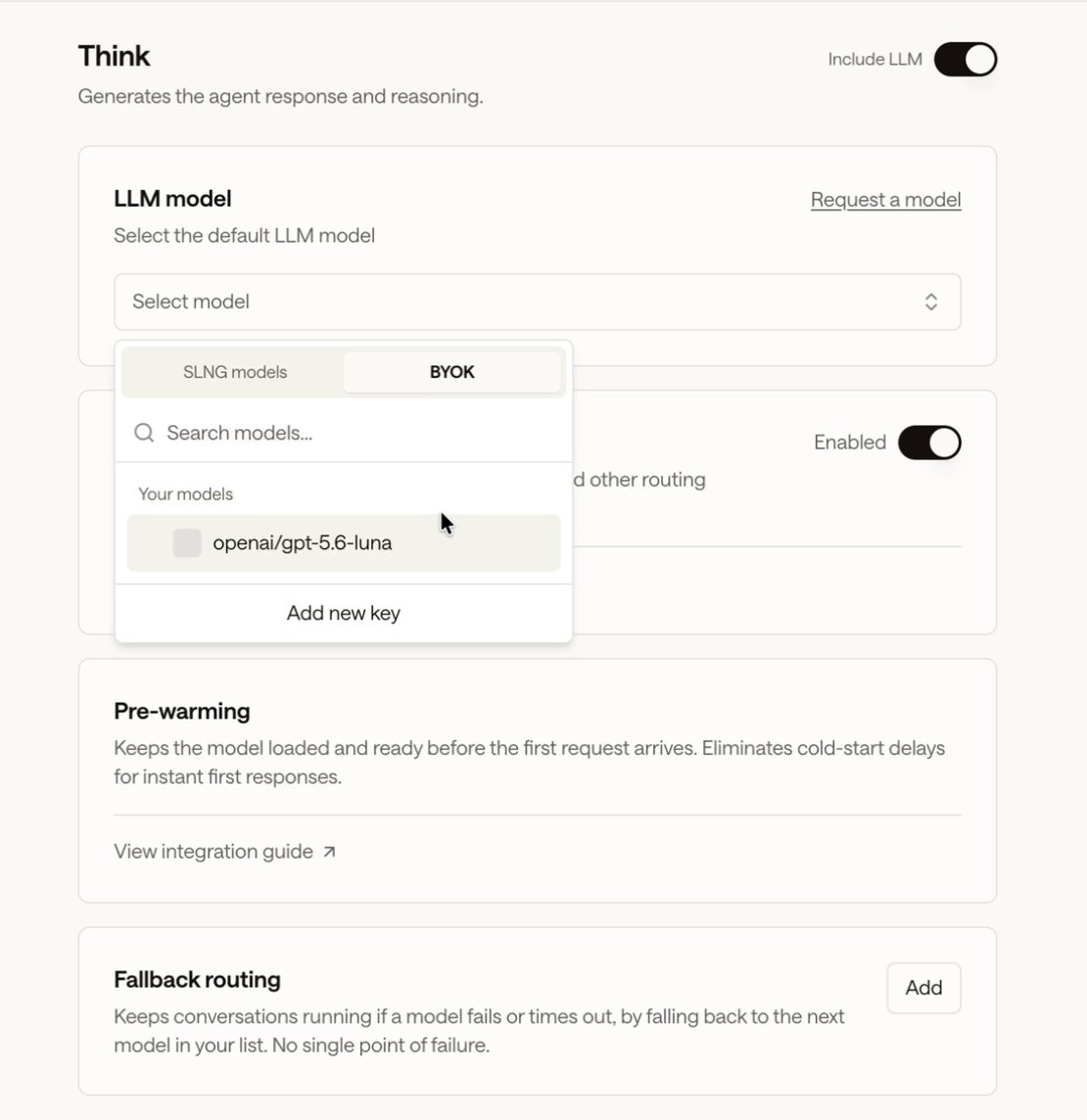
Open Execution Layer > Think. Keep Context Router set to
Enabled. Under LLM model, click Select model, then open the
BYOK tab.
The BYOK tab lists your saved models. Add new key registers another.
2
Add your provider key
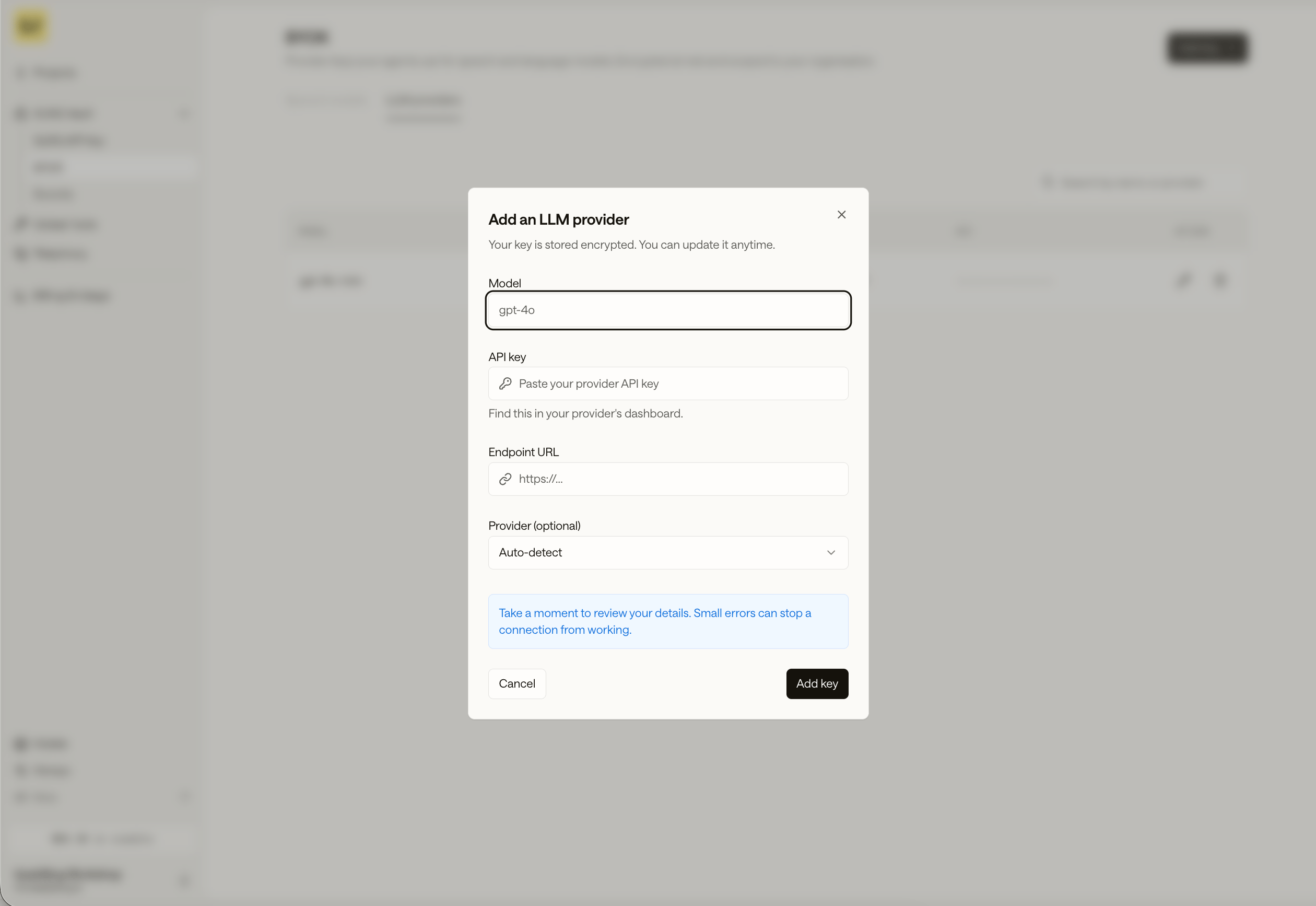
Click Add new key. In Add an LLM provider, enter the Model name
your provider expects, such as gpt-4o, your provider’s API key, and its
Endpoint URL, such as https://api.openai.com/v1. Leave Provider on
Auto-detect, or pick one. Click Add key.
Add an LLM provider: model, API key, endpoint URL, and an optional provider.
The key is stored encrypted in your organization’s BYOK vault, so your other
projects can use it too. See
Add a custom LLM model.
3
Choose it and save
Pick the model from the BYOK tab and click Save changes. Requests
with this project’s key and "model": "slng/auto" now answer with it.
To keep the model and its key in your code instead, send them in the
slng_config body field. The router answers that request with them, whatever
Think holds, and the project’s other settings still apply:
Send it with "model": "slng/auto": the router picks gpt-5.6-luna from the
config, so the model name is written once. The api_key inside endpoint is your
provider key. Your SLNG key stays in the Authorization header. kwargs holds
request settings for this model, here a voice-friendly reasoning_effort. For every field, other providers, and two-tier routing,
see BYOK Context Router.
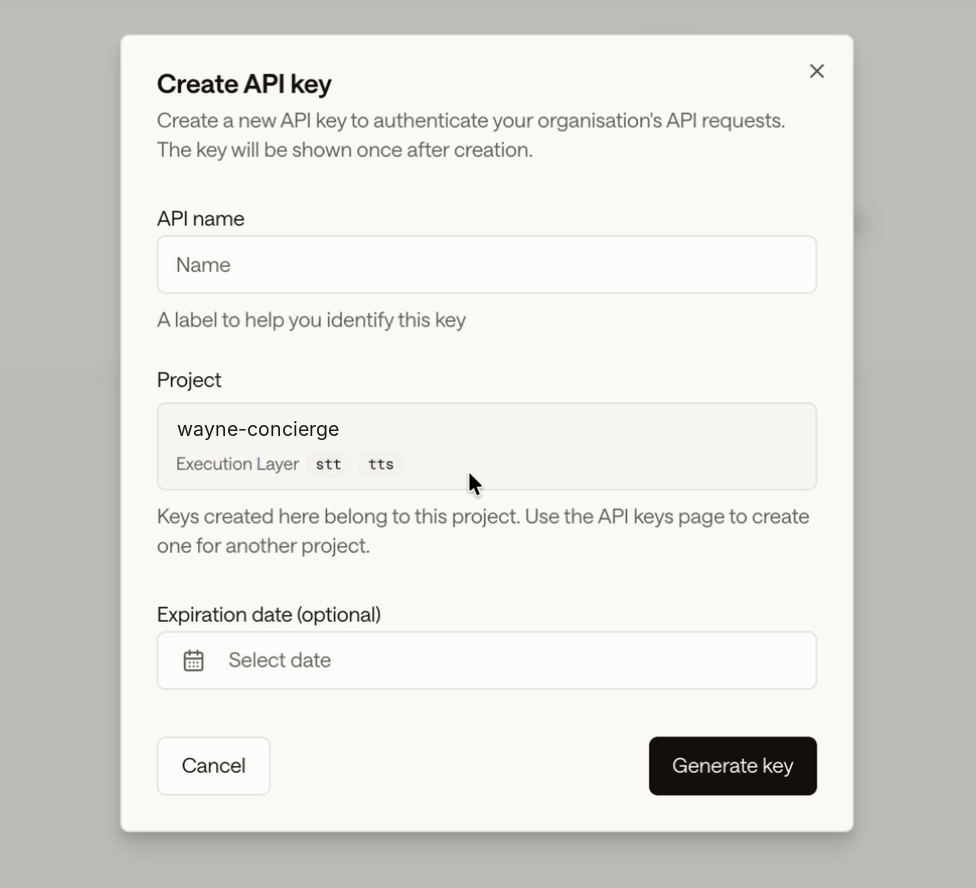
In the project, open Project Vault > SLNG API key and click Create
API key.
2
Name the key
Enter an API name, such as wayne-enterprises-prod. The Project field
shows this project and the layers the key can call, for example Execution
Layerstttts. Set an Expiration date, or leave it empty.
A key created here belongs to this project and its region.
3
Generate and copy the key
Click Generate key and copy it: you only see it once. Store it as
SLNG_API_KEY, as in
Store and use your key.
Every request your agent makes carries two IDs: one for the agent, one for the
call. Send the same two values to speech to text, the LLM, and text to speech, so
SLNG ties each call’s usage, cache, and logs together.
Agent ID names the agent. Use one stable value, such as
wayne-concierge-v1. It also scopes the Context Router cache, so give the agent
a new ID, such as wayne-concierge-v2, when you change its prompt in a
meaningful way.
Session ID names one call. Use a value unique to the call, like a UUID or
your room or call ID, and keep it the same on every turn of that call.
Where
Agent ID
Session ID
SLNG speech plugins, LiveKit and Pipecat
external_agent_id
external_session_id
Context Router
X-Slng-Agent-Id header
X-Slng-Session-Id header
The router requires both and returns 400 missing_client_id without them. For
the value rules, see
Agent and session headers.
Write values that change per call, such as the caller’s name, as {{name}}
placeholders in your prompt. Send their values with each request in
template_variables, and the Context Router fills them in before the model sees
the prompt:
Request body (excerpt)
{ "model": "slng/auto", "messages": [ {"role": "system", "content": "You are the front desk of {{company_name}}, speaking with {{caller_name}}."} ], "template_variables": {"company_name": "Wayne Enterprises", "caller_name": "Bruce"}}
The cached answer keeps the placeholders, so callers with different names can
share it. Keep a value that changes what the answer says, such as the reply
language, in the prompt itself. A placeholder with no value returns
422 missing_template_variables. The LiveKit and
Pipecat guides show where each framework sends them,
and Per-call values
covers the syntax and limits.
The SLNG templates cover each LLM
option for both frameworks. Each template’s smoke.py runs one spoken turn,
caller audio to transcript to reply to audio, with no microphone:
Run one turn
git clone https://github.com/slng-ai/slng-templatescd slng-templates/livekit # or pipecatcp .env.example .env # set SLNG_API_KEY, SLNG_REGION, OPENAI_API_KEYuv syncuv run python smoke.py speech_router
Error
What to check
403 project_mode_forbidden, “…a project on the Execution Layer”
The key is not from an Improve my agent project. Create one in the project’s Project Vault.