
Prerequisites
Before you begin:- A created and configured agent. See Create an agent.
- For the outbound call channel, an outbound connection attached to the agent. See Place calls from an agent.
Open the Test agent panel
Open the project and click Test agent. The panel opens on the Web session channel, with a Channel selector to switch between talking in the browser and placing a call.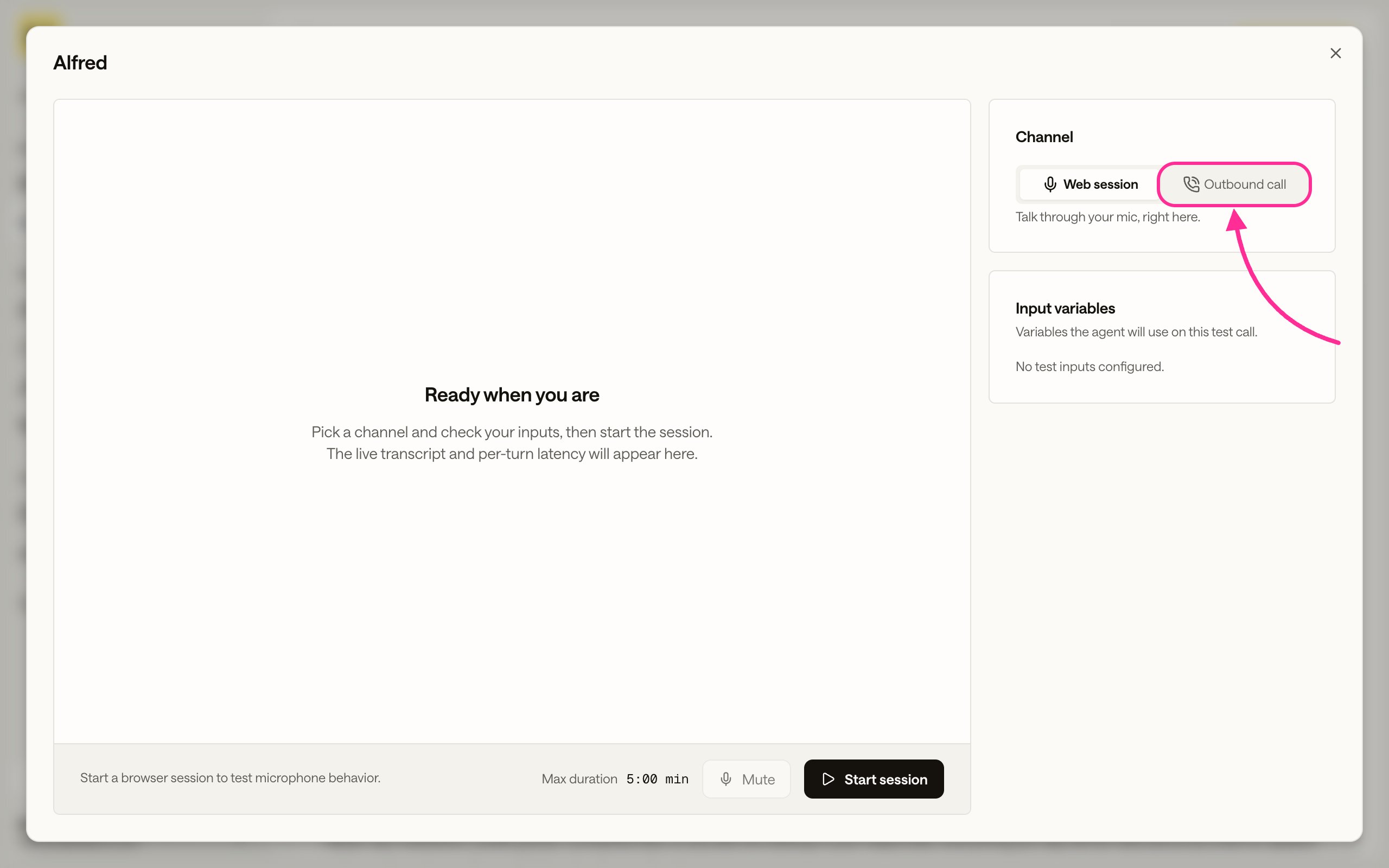
The Test agent panel. Use the Channel selector to switch between Web session and Outbound call.
Talk to it in the browser
On the Web session channel, allow microphone access when the browser asks, then talk to the agent and read the live transcript as it responds. This is the same browser voice session you ship with Embed in website, so it is the quickest way to hear how the agent sounds before you add it to a page.Have it call your phone
Switch the Channel to Outbound call to have the agent dial a number while you listen. The agent needs an outbound connection first. See Place calls from an agent. For the dashboard steps, see Place one call. For repeated or automated calls, dispatch them from the API instead. See Dispatch outbound calls.Review the test
Every test session and call becomes a record with its transcript, the arguments passed, and the rendered prompt. See Debug a call.Next steps
Embed in website
Ship the browser voice session on your own web page.
Place calls from an agent
Give the agent a caller ID so it can dial out and transfer calls.
Dispatch outbound calls
Start calls from the API, or process a contact list.
Debug a call
Replay the transcript, tool runs, and events for each session and call.