

Create an agent
- New agent
- Start from a template (Healthcare, Insurance, Financial Services, Hospitality & Travel) or create from scratch
- Configure the system prompt, greeting(s), models, and tools
- Duplicate an existing agent when you want to reuse its stored configuration
- If you plan to dispatch outbound calls or use human transfer tools, attach an outbound connection (see Telephony)
Personalization is available in two places when you create an agent:
- Template variables for prompts and greetings
- Tool personalization for supported tool fields such as webhook URLs, system webhook argument values, human transfer phone numbers, and built-in timezones
Test in browser
Use the built-in test page for a web (non-telephony) session:https://app.slng.ai/agent-infra/<agent_id>/test
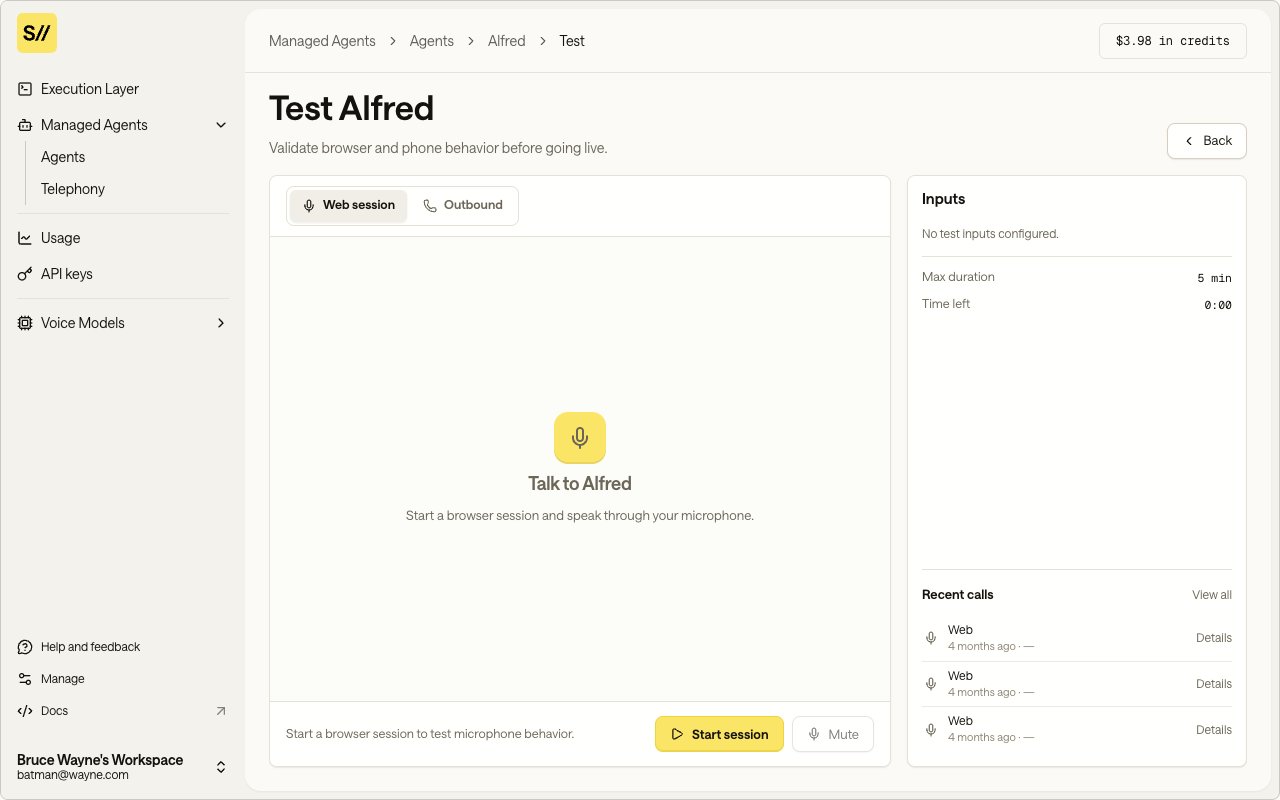
Test your agent directly in the browser
Calls
Each agent has a dedicated calls page where you can monitor and review all call activity:- Calls list:
https://app.slng.ai/agent-infra/<agent_id>/calls - Call details:
https://app.slng.ai/agent-infra/<agent_id>/calls/<call_id>
Call list
The calls list shows all calls for an agent (both inbound and outbound), with the most recent calls first. You can filter by status to find active, completed, or failed calls.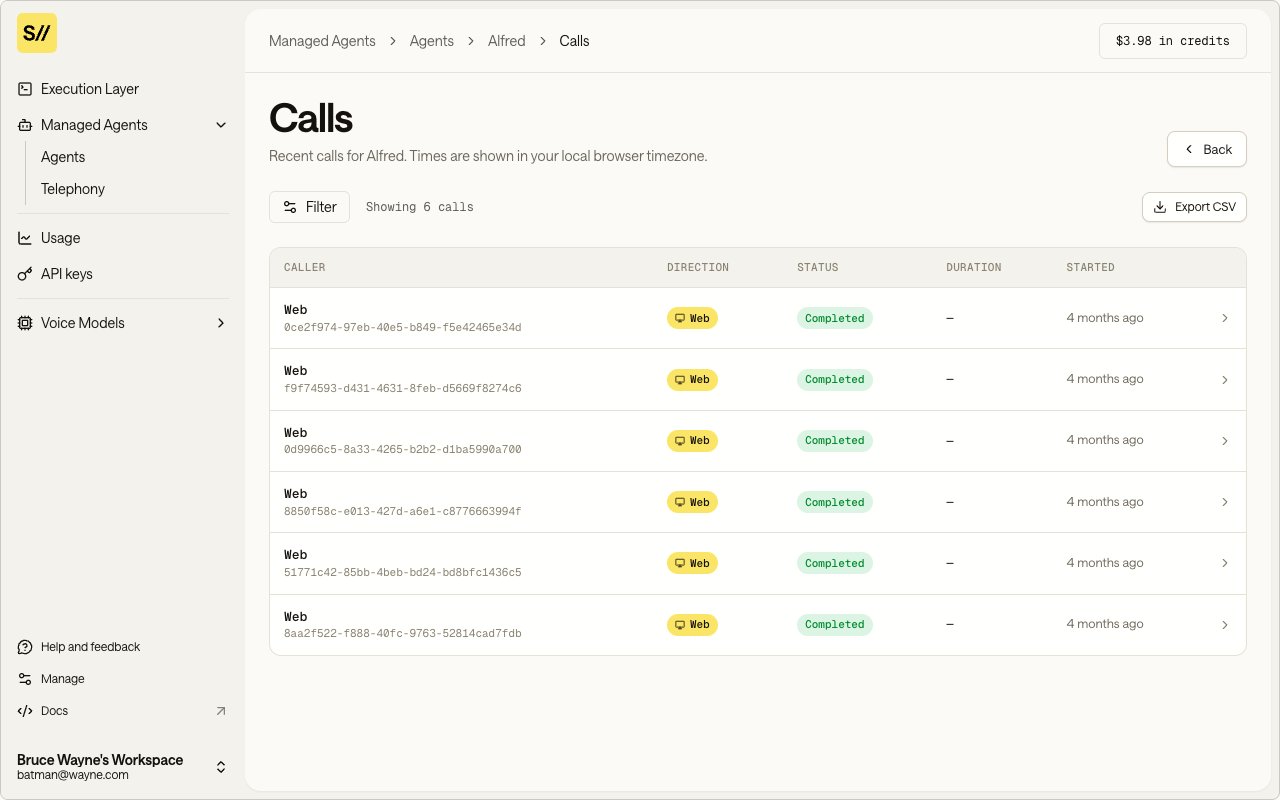
Monitor all inbound and outbound calls
Call details
Each call record includes:- Status: current call state (e.g., dispatched, active, completed, failed)
- Phone number: the E.164 number involved in the call
- Template arguments: the values passed for template variables (e.g.,
patient_name,practice_name) - Rendered prompt: the final system prompt after template variables are resolved
- Timestamps: when the call was created and last updated
- Session report: when available, includes transcript and session-level metadata
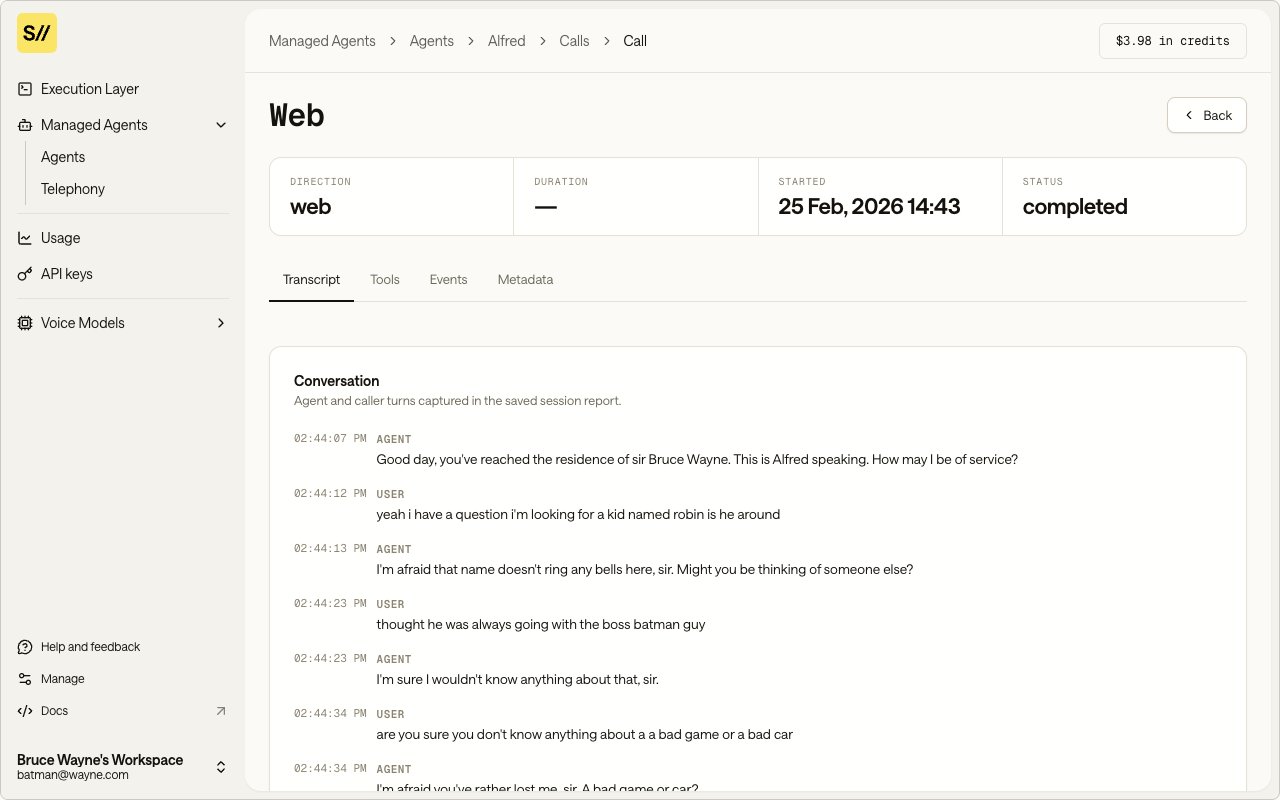
Review transcript, status, and session metadata for each call
Dispatching outbound calls
You can dispatch outbound calls from the Agent Infra UI or programmatically via the API. Outbound calls require the agent to have an outbound SIP trunk configured. See Telephony.Everything in Agent Infra maps to public API endpoints. See the Voice Agents API tab for a complete reference.